Hosted AI Agents: Five Settings to Test Before They Go Live
Hosted agent platforms handle the agent loop, sandboxing and session storage for you. The security decisions do not disappear. They move into five settings you need to test.
TL;DR
- Hosted agent platforms run the agent loop, the sandbox and the session history for you. The security choices move into configuration.
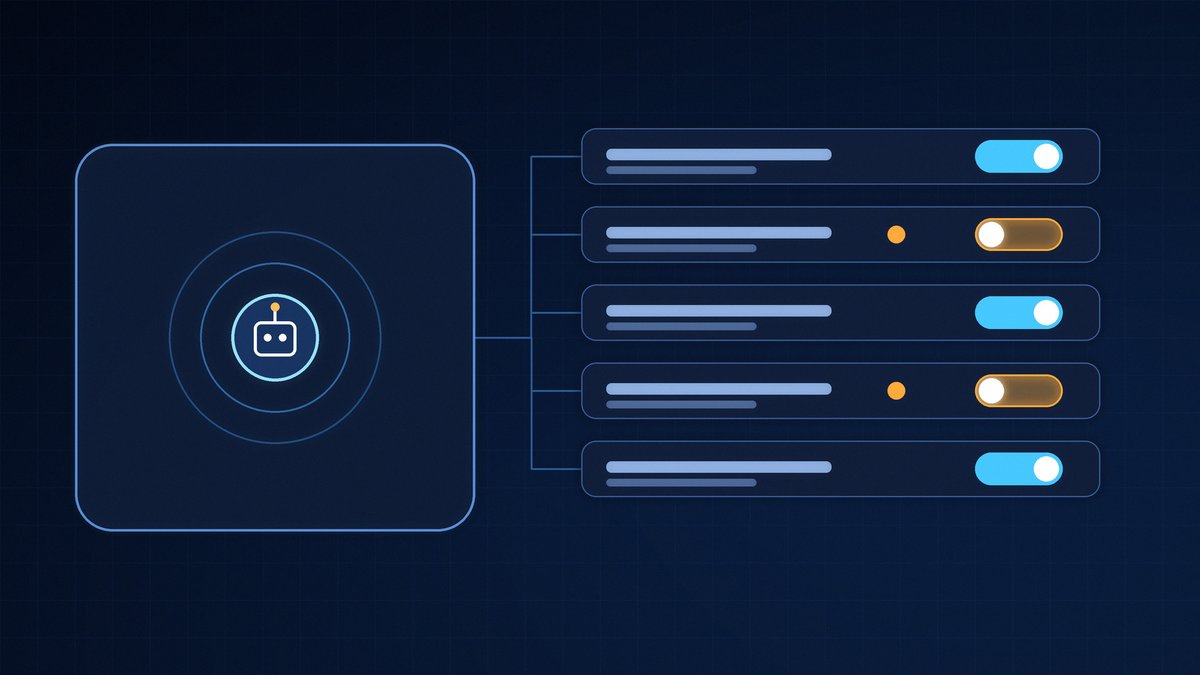
- Five settings decide most of the risk: network egress, where credentials live, custom tools, session logs and event triggers.
- Demo setups often start with unrestricted network access. That default is convenient for a workshop and dangerous in production.
- Every custom tool the agent calls is an API endpoint running with your permissions. Test it like one.
- A human-led test of the agent, its tools and its triggers finds these gaps before an attacker does.
Building an AI agent used to mean writing the agent loop, the context handling and the hosting yourself. Hosted agent platforms now take that work off your hands: you define the model, the instructions and the tools, and the platform runs the loop, the sandbox and the session history. That is a real gain in speed. It also means that the security of your agent now sits in a handful of settings that are easy to leave on their defaults. This article covers the five we check first in an AI and agent security test, part of our wider penetration testing services.
Why hosted agents change the picture
A hosted agent has a brain and hands. The brain is the agent loop that decides which tool to call next. The hands are the sandbox or your own infrastructure where those tool calls actually execute. Separating the two is a good design: a crashed container does not kill the session, and credentials can be kept away from the model. But the separation only protects you if it is configured to. In practice, four things are decided in configuration rather than code: what the sandbox can reach, where secrets live, what your own tools accept, and what can wake the agent up.
1. Network egress: open by default is not a design
Many platforms let you define an allow-list of domains the agent environment may contact. Workshop examples usually set it to unrestricted, because that makes everything work. Left that way in production, an agent that reads a malicious document can be steered by prompt injection to send data to any host on the internet.
What we test: can the agent reach a domain that is not on your list, directly or through a redirect, a DNS lookup or a package install? Is the allow-list scoped per agent, or shared across every agent in the account?
2. Credentials: can the agent ever see the secret?
The safest pattern is that credentials stay in a separate vault and are injected at the tool boundary, so the model never has the raw value in its context. The weaker pattern, still common, is an API key in an environment variable or a config file inside the sandbox. If the agent can run code, it can print that variable.
What we test: ask the agent, directly and through injected content, to list its environment, read configuration files and echo headers. Check whether tokens are scoped per user and per session, and whether a token taken from one session works in another.
3. Custom tools run with your permissions
Custom tools are where the agent touches your systems: fetch metrics, look up a customer, create a ticket. The platform calls your code, and your code runs with your service account. The agent chooses the arguments. That makes every custom tool an API endpoint whose caller can be manipulated, and it deserves the same scrutiny as any other API pentest.
What we test: input validation on the tool side, authorisation per user rather than per service account, and whether a tool meant to read can be pushed to write. We covered the broader version of this problem in what happens when your AI agent can reach production.
4. Session logs keep everything the agent saw
Hosted platforms store every event of a session: user messages, tool calls and tool results. That is excellent for debugging and resuming work. It also means customer data returned by your tools now lives in the platform's session history.
What we test: who in your organisation can read those logs, how long they are kept, whether deleting a session actually removes its events, and whether sensitive fields are masked before they reach the model. This is as much a GDPR question as a security one.
5. Triggers and webhooks decide who can start your agent
Agents that react to events, such as a new ticket, an alert or an incoming email, are resumed by a webhook or a queue. If that entry point is not authenticated, anyone who finds it can start your agent with content of their choosing. That is indirect prompt injection with a doorbell.
What we test: signature validation on incoming events, replay protection, rate limits, and whether the content of an event is treated as data or as instructions.
How we test hosted agents
We work from the OWASP Top 10 for LLM Applications and the OWASP Top 10 for Agentic Applications, extended with attack chains specific to your architecture. The phases are the same as in any engagement: reconnaissance, testing without and with valid access, post-exploitation and a report with a debrief. AI helps us move faster through the work. A human ethical hacker validates every finding. If your agents also connect to MCP servers, our article on how MCP is abused to hijack AI tools shows where that chain usually breaks.
Frequently Asked Questions
What is a hosted AI agent?
A hosted AI agent runs on a platform that manages the agent loop, the sandbox and the session history for you. You define the model, the instructions and the tools; the platform executes the work and stores the sessions.
Is a hosted agent platform secure by default?
The platform can offer strong building blocks, such as vaults and network allow-lists, but your configuration decides whether they are used. Network egress, credential storage, custom tools, log retention and triggers are all set by you.
Why is unrestricted network access a risk for an AI agent?
An agent that processes untrusted content can be steered by prompt injection. With unrestricted outbound access, it can send the data it holds to any server. An allow-list limits where that data can go.
Do custom agent tools need a separate security test?
Yes. A custom tool is an API endpoint that runs with your permissions and receives arguments chosen by the agent. It needs input validation and per-user authorisation, and it should be tested like any other API. See our API pentest for how we approach that.
What does an AI agent penetration test cover?
It covers what the agent can reach and how that access can be abused: sandbox egress, credential exposure, tool abuse, prompt injection, session data handling and the entry points that trigger the agent. Every finding is validated by a human ethical hacker.
Related services and resources
This work is part of our penetration testing services, with a dedicated focus on AI and agent security. The custom tools behind your agent are covered by an API pentest, and if the agent runs in your own cloud environment a cloud pentest checks the infrastructure around it. For background, read our explanation of prompt injection and our article on agentic AI supply chain security.